
By HomesUSA.com
What if you could see the full picture of all your communities in one place, whenever you need it?
For builder sales and marketing teams, reviewing the full status details of multiple communities can be time consuming and inconsistent. It often means juggling updates from different team members, reviewing MLS listings one by one, or tracking down data across spreadsheets. Reports can take hours to compile and update.
Also, important details can be missed. Inconsistencies can go unnoticed. And listing accuracy can slip through the cracks. And accuracy matters. But making sure each listing remains updated from the construction stage to listing status to contact field changes is challenging.
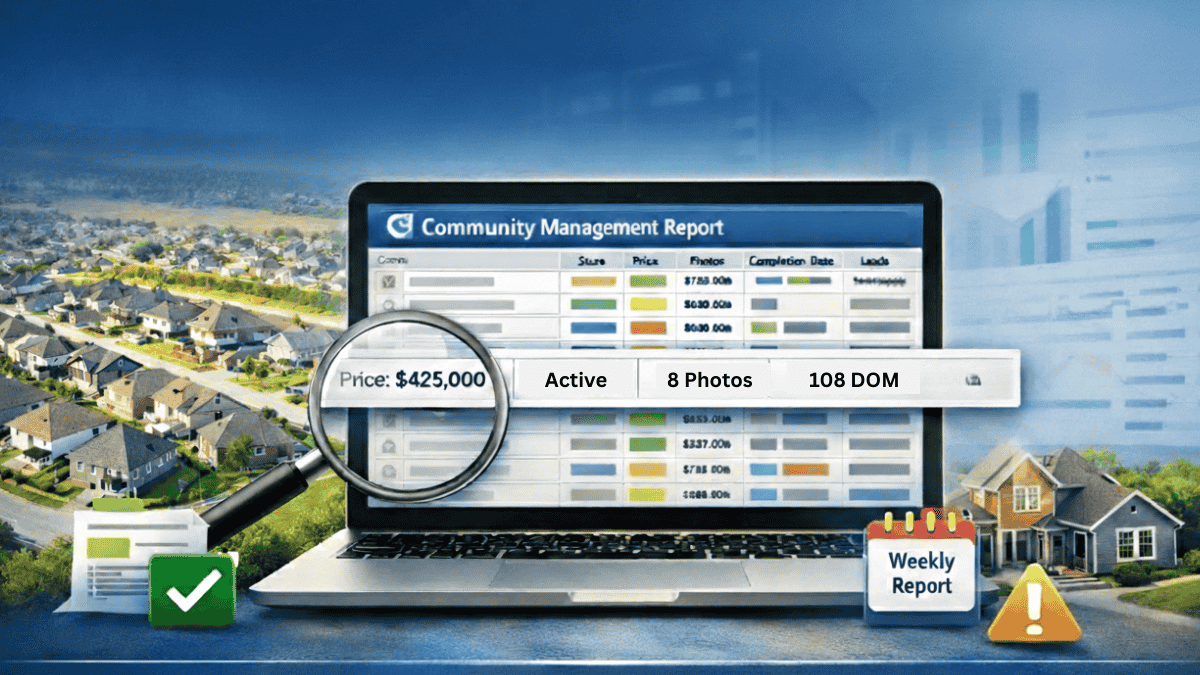
That is where the Community Management Report inside SpecDeck by HomesUSA.com delivers value. It gives builders a single report that shows all their communities at once, is sorted alphabetically, and includes all Active and Pending MLS listings. The report helps you and your team quickly spot problems, verify data, and maintain listing quality without having to run multiple MLS queries in different systems or piece together outdated information.
A quality control report designed for builders
SpecDeck’s Community Management Report is not a performance dashboard or market comparison tool. It’s a quality control report, built specifically for internal visibility across all a builder’s active communities.
Each listing is displayed in a sortable format, providing an at-a-glance review of the MLS data behind every home across every community. From sales status and completion dates to photos and contact fields, the report is designed to help builder teams answer one critical question: Is everything listed correctly, completely, and consistently?
That clarity is what makes it one of the most practical reports inside SpecDeck.
What the Community Management Report includes
The Community Management Report is delivered in a spreadsheet-style format that builders can sort, filter, export, and share. Each row represents a listing, and each column includes specific MLS-related data points. These include:
- A link to our MLS search tool – Quickfinder, as it displays the listing as a Realtor sees it in MLS
Listing status, with list dates, estimated close dates, and days on market
- Construction stage and estimated completion dates
- Plan name, square footage, number of stories, bedrooms, full and half baths, and garage spaces
- Listing presentation, including number of photos and whether photos have been ordered
- MLS management status, indicating whether the listing is managed by XML feed or manually
- Pricing information, including list price and price per square foot
- Community contact details, such as appointment and alternate phone numbers, employee names, and routing emails and many more data fields
These fields give builder teams visibility into both listing content and MLS execution. More importantly, this report makes it easy to identify missing, outdated, or incorrect data before it becomes a problem for buyers or agents.
Why sales and marketing teams rely on it
For sales and marketing teams, speed and accuracy are everything. The Community Management Report gives them instant clarity on what needs attention – no digging, no delays. Whether it’s spotting a stale status, confirming photo uploads, or verifying lead routing, everything’s visible in one place.
By shifting from piecemeal MLS checks to a centralized weekly report, teams can fix issues before they impact buyers or agents. By seeing everything at once, teams can move from reactive fixes to proactive oversight.
Automated delivery, easy to use
SpecDeck’s Community Management Report is emailed to builder users and managers every Friday at 8 a.m., ensuring a consistent weekly update without requiring a manual request. It is also available on demand through the SpecDeck dashboard, where it can be downloaded, opened in Excel, and used for real-time team discussions.
Because it is built on MLS data, the report features the most current information. And because it’s automated, there is no need to create or maintain a manual tracking spreadsheet.
Whether reviewing performance ahead of a weekly team call, prepping for a pricing strategy session, or auditing listing quality after a system update, builder teams can rely on the Community Management Report to surface the right data at the right time.
Built for visibility, trusted for accuracy
SpecDeck is designed to support how production builders actually work: across multiple communities, with multiple teams, and dozens or hundreds of listings in motion at once.
The Community Management Report reflects that need by giving builders a clear, usable view of all their listings in one place. It replaces friction with clarity, replaces guesswork with facts, and replaces manual effort with automation.
This is not just a report. It is a foundation for quality control, data confidence, and smoother operations across the board.
See it in action
If you are a builder looking for a clearer way to monitor listing accuracy, improve operational oversight, and support your sales and marketing teams, see how the Community Management Report works inside SpecDeck.
This is just one of more than 20 SpecDeck reports with information that supports builder sales, marketing, land, and management teams.
A SpecDeck demo, hosted by Ben Caballero, is available for builders nationwide. The demo shows how builders how to leverage all the valuable reports available in SpecDeck to speed up sales.
Schedule your SpecDeck demo at https://calendly.com/ben-729.